
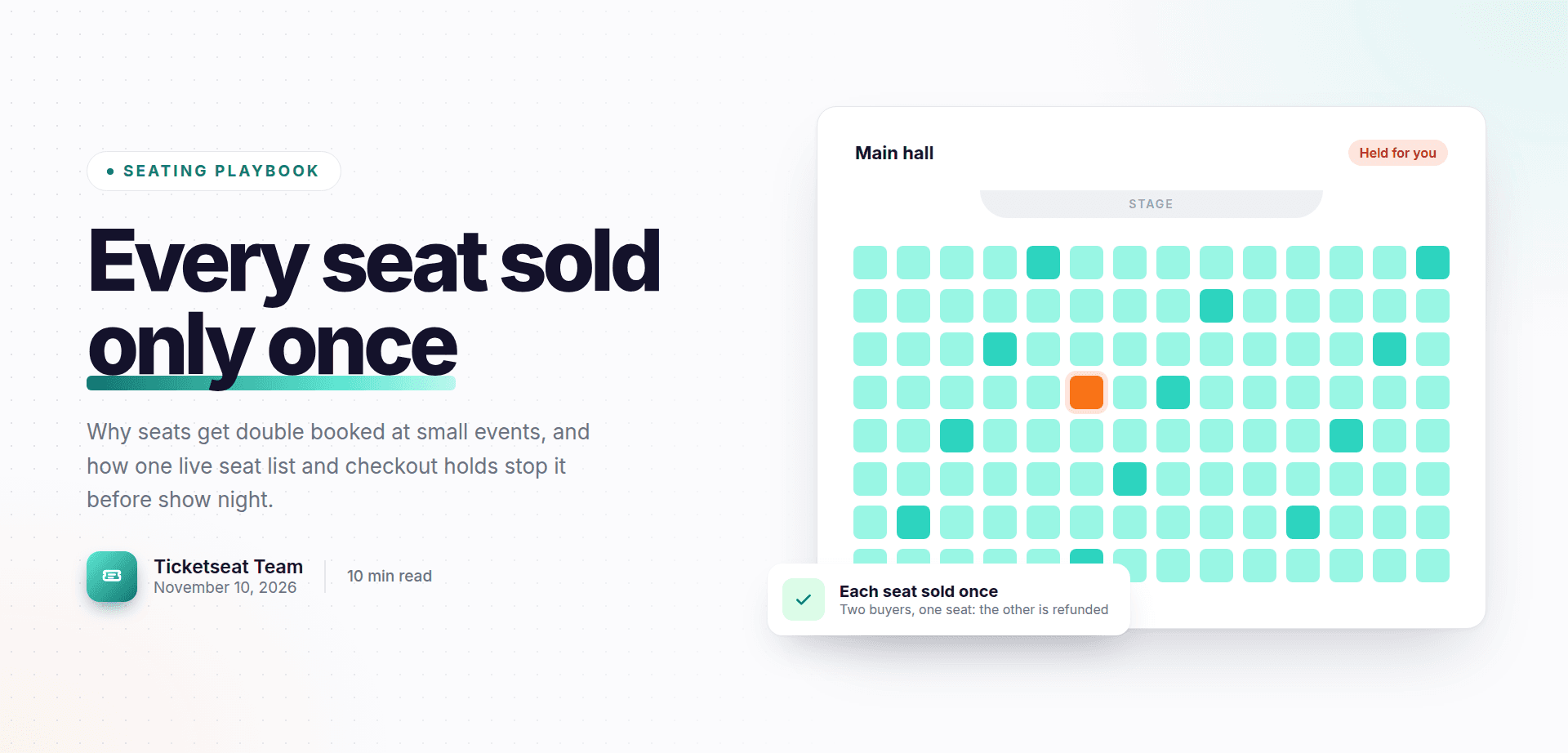
Five minutes before curtain up, two guests are standing in row C. Both are holding a ticket for seat 7. Both paid. Both are getting louder. Anyone who has run a seated show knows this moment, and nobody wants to repeat it.
The good news is that double booked seats at an event are almost always preventable. This guide explains how to prevent double booking seats and overselling standing tickets. It covers why it happens, the one rule that stops it, what to look for at checkout, a checklist to run before tickets go on sale, and a simple script for the night if it still goes wrong.
Why seats get double booked (it is rarely the buyer's fault)
When two people turn up with the same seat, the buyer has nearly always done nothing wrong. The problem sits somewhere in how the seats were sold.
The most common causes for small organisers are:
- Seat lists in spreadsheets or on paper. Someone takes a phone booking, writes it on a printed plan, and forgets to update the online list. The seat sells twice.
- Several sales channels selling the same seats. A venue box office, an online page and a local shop each have "their" allocation, but the allocations overlap or are not kept in step.
- Comps and holds that were never recorded. The director promised the front row to family. The press officer gave two seats to a reviewer. None of it was entered anywhere, so those seats also went on sale.
- Two buyers checking out at the same moment. On a busy on-sale, two people can choose the same seat within seconds of each other. If the system does not handle this properly, both orders can go through.
Oversold standing tickets
Standing and general admission areas cause their own version of the problem. If the capacity for a standing area is a number written in someone's notes rather than a hard limit in the ticketing system, sales simply keep going. You find out when the room is full and there is still a queue outside.
This is not just awkward. Your venue licence sets a maximum capacity for safety reasons, and going over it can put guests at risk and your licence in question.
The real cost
A double booking costs more than one refund. It means an upset guest at the door, a stressed front of house team, a delayed start, and often a bad review that mentions nothing about the show itself. For a small venue that relies on word of mouth, that is a high price for one spreadsheet mistake.
The one rule to prevent double booking seats: one source of truth
If you remember one thing from this guide, make it this: every seat and every capacity limit should live in one live system.
Not a spreadsheet plus an online page. Not a box office list plus a printed plan. One place that knows, at any moment, which seats are sold, which are held and which are free.
Put holds and comps in the same system
Before tickets go on sale, enter every seat that is not for general sale:
- House seats kept back for the venue
- Press and reviewer seats
- Cast, crew and family comps
- Sponsor or partner seats
- Wheelchair spaces and companion seats, if you manage these separately
If a seat is not marked as unavailable in your main system, assume it will be sold.
Why manual checking breaks down
Plenty of organisers run their first few events by checking lists against each other every evening. It works when ten tickets sell a day. It stops working the moment sales speed up: an on-sale announcement, a good review or a newsletter going out. Seats can sell in minutes, and nobody can reconcile lists that quickly. Reserved seating tickets need a system that updates instantly, not a person catching up later.
What happens at checkout: seat holds and simultaneous orders
Most double bookings that are not caused by split lists happen at checkout. Two safeguards matter here.
Seat hold during checkout
A seat hold means that once a buyer picks a seat, it is set aside for them for a short time while they enter their details and pay. During that time nobody else can choose it. If the buyer gives up, the seat goes back on sale.
Without a hold, two people can be filling in their card details for the same seat at once, and one of them is going to be disappointed.
In Ticketseat, seats a buyer picks are held for 5 minutes while they check out, so nobody else can take them in that time. That is long enough to pay without rushing, and short enough that abandoned seats come back quickly. You can read more about how buyers pick and hold their exact seat with reserved seating.
The rare race: two people paying at the same moment
Even with holds, there is an edge case. Two payments for the same seat can arrive at almost exactly the same instant. A well built system has to decide which one wins and deal with the other cleanly.
In Ticketseat, each seat can be sold only once per event. If two people pay for the same seat at the same moment, only one order is completed and the other buyer is refunded automatically. Nobody arrives on the night holding a ticket for a seat that belongs to someone else.
Questions to ask any ticketing provider
Whatever tool you use, ask these questions before you trust it with a seated event:
| Question | Why it matters |
|---|---|
| Are seats held while a buyer checks out, and for how long? | Stops two buyers fighting over one seat mid-payment |
| Can a seat ever be sold twice for the same event? | The answer should be a clear no |
| What happens if two payments for one seat arrive together? | You want one order completed and the other refunded, not two tickets issued |
| Are standing areas counted against a fixed capacity? | Prevents oversold standing tickets |
| Do all sales channels draw from the same live seats? | Stops box office and online sales clashing |
If a provider cannot answer these plainly, treat that as your answer.
Draw your venue so the map matches the room
Assigned seating ticketing only works if the seat map is an accurate copy of the real room. A map with a seat that does not exist, or that is missing a row, will cause problems as surely as a messy spreadsheet.
Build the layout once, carefully
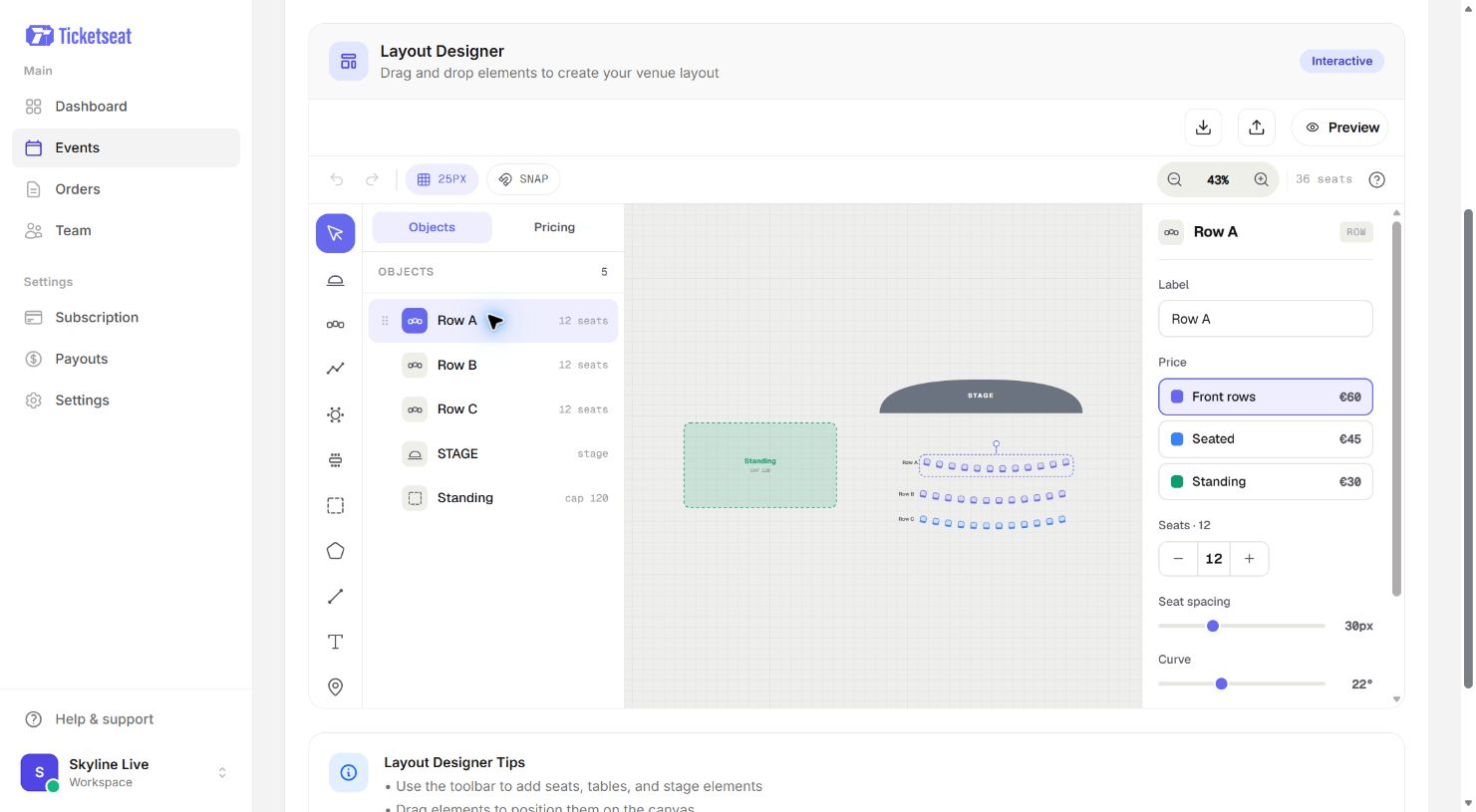
In Ticketseat's layout designer you draw your venue with rows, tables, a stage and standing areas, and set a price category per row. Take the time to get this right once and you can reuse it for every show. The seat map designer page shows what you can build.
If you are starting from scratch, this guide on how to set up a seating chart for your venue walks through it step by step.
Check it against the physical room
Walk the room with your seating plan in hand. Count every row, seat by seat. Then remove or block anything that should not be sold:
- Seats behind pillars or with no view of the stage
- Seats lost to a sound desk, camera position or extended stage
- Wheelchair spaces and companion seats you allocate separately
- Seats near fire exits that must stay clear for this layout
A church hall with stacking chairs is a common trap. The layout changes from event to event, so the map must change too. Recheck it every time the chairs move.
Let buyers choose, rather than allocating by hand
Allocating seats yourself, by email or phone, is where many double bookings start. Let buyers pick their exact seat on an interactive seat map on the event page instead. They see what is free, choose what they want, and the system marks it as sold. There is no list to update afterwards.
Don't forget standing areas and general admission
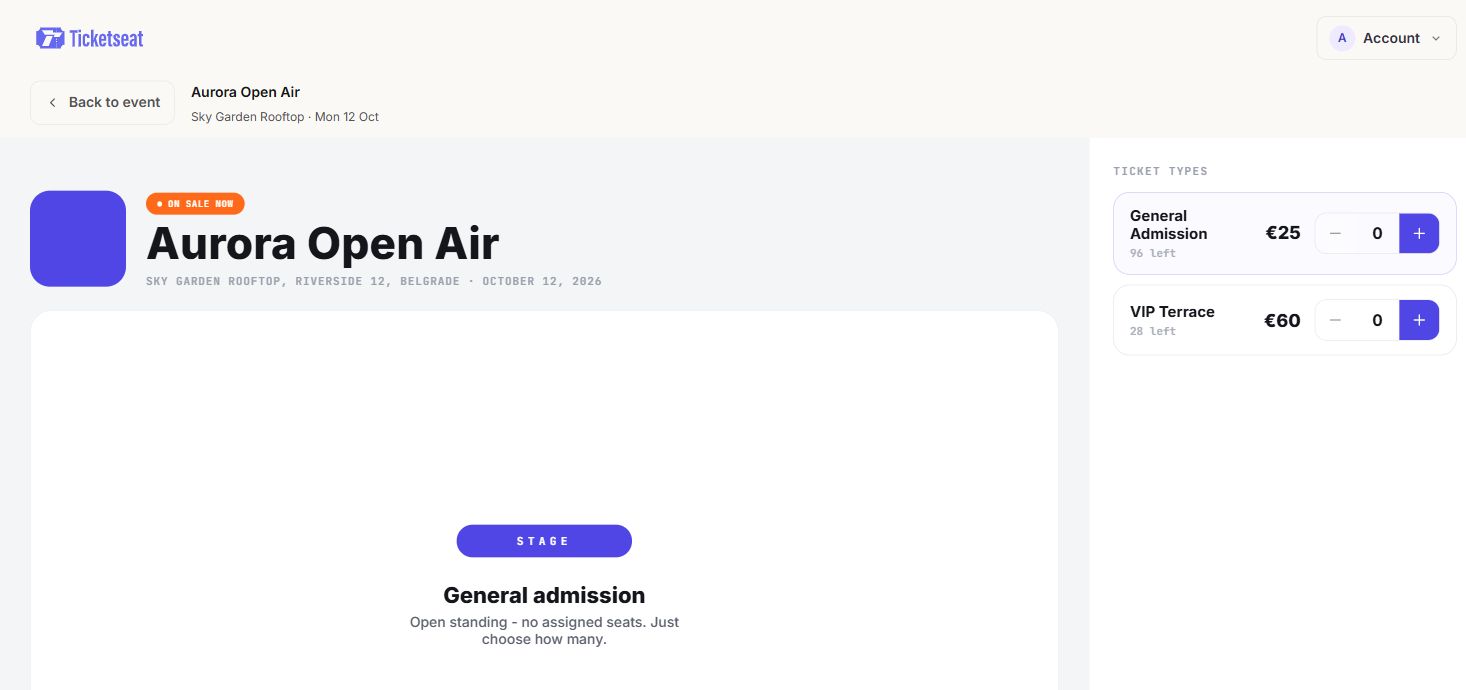
Standing areas need the same discipline as seats. A gig with a standing floor, a comedy night with a bar area at the back, or a festival tent with a fixed limit all need a capacity that the system will not let you exceed.
Set a hard capacity for every standing area
Decide the capacity for each standing area before you go on sale. Base it on your venue licence and the real usable floor space, not the space when the room is empty. Remember the bar, merchandise table and any equipment take up room on the night.
In Ticketseat, standing areas with a set capacity are counted too, so they cannot be oversold. Once the limit is reached, that ticket type stops selling.
Mixed layouts
Many small venues sell both: seated rows at the front and a standing section at the back, or tables near the stage and standing room by the bar. Keep both on the same event and the same map so one system tracks the whole room. Selling them as two separate events, or through two separate tools, brings back the split list problem.
Pre-on-sale checklist to stop overselling
If you are wondering how to stop overselling event tickets for good, run through this list before every on-sale.
- Confirm the layout against the room. Every row and seat on the map exists in the room, and nothing unsellable is left on sale.
- Confirm capacities against the venue licence. The total of seats plus standing must not exceed the licensed limit.
- Enter all holds and comps first. House seats, press, cast, sponsors and access seats are marked unavailable before the public can buy.
- Check price categories. Each row or area has the right price, so nobody buys a front row seat at back row prices.
- Run a test purchase. Buy one seat and one standing ticket yourself. Check the confirmation email, the seat details and that the seat now shows as sold.
- Sell through one system only. If you must use more than one channel, make sure every channel draws from the same live seats. Close any old spreadsheet or paper plan so nobody uses it by mistake.
- Brief anyone taking phone or in-person bookings. They book through the same system as online buyers, not on a notepad.
Ten minutes on this list is far cheaper than ten minutes of arguments in an aisle.
If two people turn up with the same seat: a show-night script
Even with good systems, mistakes happen. Someone books a comp on paper, or a seat on the map turns out to be broken. Here is what to do if two people have the same seat.
Before doors open
- Keep a small number of good seats unsold or held back as a fallback. Two or three is usually enough for a small venue.
- Decide your upgrade rules in advance. For example: the guest who moves gets a seat of equal or better value, and a drink on the house.
- Make sure the front of house lead knows the plan and has the authority to act on it.
At the door or in the aisle
- Stay calm and take it away from the seats. Invite both guests to step aside for a moment so the conversation happens away from the rest of the audience.
- Check both tickets and order details. Look at the event, date, row and seat. Sometimes one ticket is for a different night or a different row, and the problem solves itself.
- If it is a genuine double booking, fix it straight away. Offer one guest a fallback seat. Lead with the upgrade: a better seat and a drink on the house tonight.
- Apologise without blaming anyone. The guests do not need to know whose mistake it was.
- Note the names and order details so you can follow up.
After the show
- Contact the affected guests the next day with a short apology and, if it is fair, a refund or a goodwill gesture such as free tickets to a future show. This guide on handling ticket refunds and exchanges fairly covers how to do this without leaving yourself out of pocket.
- Find the cause. Was it an unrecorded comp, a second sales channel, a broken seat left on the map? Fix that specific thing before the next on-sale.
How Ticketseat helps
Ticketseat is built around one live seat list. Organisers draw their venue in the layout designer with rows, tables, a stage and standing areas, and buyers pick their exact seat on an interactive seat map. Seats are held for 5 minutes during checkout, each seat can be sold only once per event, and if two people pay for the same seat at the same moment only one order is completed and the other buyer is refunded automatically. Standing areas with a set capacity are counted too, so they cannot be oversold.
You can start free with Ticketseat and set up your first seated event at ticketseat.io.
Frequently asked questions
How do I stop two people buying the same seat online?
Sell every seat from one live system so each seat can only be sold once. Avoid splitting seats across spreadsheets, paper lists and several sales channels. Choose a ticketing tool that holds seats while a buyer checks out and blocks the same seat being sold twice.
How long should seats be held during checkout?
A hold should be long enough for a buyer to enter their details and pay, but short enough that abandoned seats return to sale quickly. A few minutes usually works well. Ticketseat holds the seats a buyer picks for 5 minutes while they check out.
What happens if two people pay for the same seat at the same time?
In a well built ticketing system only one of those orders goes through. In Ticketseat each seat can be sold only once per event, so only one order is completed and the other buyer is refunded automatically.
How do I stop overselling standing or general admission tickets?
Set a fixed capacity for every standing area and make sure your ticketing system counts sales against it as a hard limit. Check that number against your venue licence and the real space in the room. In Ticketseat, standing areas with a set capacity are counted so they cannot be oversold.
What should I do if a seat is double booked on the night?
Stay calm, check both tickets and order details, and move one guest to a held or unsold seat of equal or better value. Decide your upgrade rules before doors open. Follow up afterwards with an apology and a refund or goodwill gesture, then fix the cause.
Ticketseat Team
Sharing insights about event ticketing, platform updates, and industry best practices.
Related Articles
View all
Theater Ticketing Software: What Small Theaters Actually Need
Finding the right theater ticketing software shouldn't mean paying for bloated features. Learn how small theaters can leverage reserved seating, intuitive box office tools, and interactive seating charts to boost revenue and delight patrons.
How to Email Event Attendees: Updates, Reminders and Templates
A practical guide to the emails you send after the sale: event day information, messages to specific ticket types, and change or cancellation notices, with copy-ready templates and a pre-send checklist.
Mobile Tickets for Events: How QR Code E-Tickets Work
A plain-English walk through the life of a mobile ticket: from checkout and email to the QR code, the PDF backup and the scan at the door, with fixes for lost emails, flat batteries and shared screenshots.
Compare Ticketseat
See how Ticketseat stacks up against other ticketing platforms.
Ready to Transform Your Event Ticketing?
Create your event page, sell tickets with seat maps, and scan guests in at the door. Free to start.