
Your event is on sale. Tickets are trickling in, or maybe pouring in, and you want to know where you stand without building a spreadsheet every Sunday night. This guide shows you how to track ticket sales in a simple, reliable way: which five numbers to watch, how to set a pace check, a 10-minute weekly routine, and exactly what to do when sales are slow or surprisingly fast.
It works whether you run a 60-seat comedy night, a village hall panto or a two-day conference.
How to track ticket sales before show night, and why it matters
Tracking sales is not about staring at numbers. It is about making decisions early, while you still have time to act.
Sales pace tells you, weeks in advance, whether to:
- push harder on marketing
- add a second date or a matinee
- hold your nerve because sales are on track
The cost of finding out too late
When organisers only look closely in the final week, the options shrink. A few common outcomes:
- Empty rows that a well-timed email three weeks earlier could have filled.
- Panicked discounting that annoys people who paid full price.
- Wrong staffing: too many volunteers for a half-full room, or too few bar and door staff for a sell-out.
Use your ticketing dashboard, not your bank account
It is tempting to judge sales by payouts landing in your account or by tallying bank transfers. This misleads you. Payouts arrive in batches, refunds and timing blur the picture, and you cannot see how many people visited your page without buying.
A ticket sales dashboard in your ticketing system shows sales as they happen. Treat it as your single source of truth.
The 5 numbers worth watching (and the ones you can ignore)
You do not need dozens of metrics. These five tell you almost everything.
1. Revenue
The money taken so far. Compare it with your break-even figure: the amount you need to cover the venue, performers, equipment and marketing. Until you pass break-even, this is the number that keeps you up at night.
2. Orders
The number of separate purchases. This is not the same as tickets sold. One order might contain one ticket or eight. Always check your ticket count separately against capacity.
3. Average order value
Revenue divided by orders. It tells you how people are buying:
- Low average order value suggests mostly single tickets.
- Higher values suggest pairs, families or group bookings.
Average order value matters for events because it shapes your marketing. A show bought mainly in pairs calls for date-night messaging. One bought in groups of six calls for offers aimed at groups of friends or colleagues.
4. Event page visits
How many times people viewed your event page. This shows whether your promotion is reaching anyone at all. If visits are low, no amount of tweaking the page will help, because people are not seeing it.
5. Visit-to-order conversion
Divide orders by page visits. For example, if 400 visits produced 12 orders, roughly 3 in every 100 visitors bought.
There is no universal "good" figure. Compare it with your own previous events and with earlier weeks of this campaign. If it drops, something on the page or in checkout may be putting people off. If it rises after a change, that change probably helped.
Numbers you can mostly ignore
Social media likes, follower counts and post impressions rarely predict ticket sales on their own. A post with hundreds of likes and no rise in page visits has not done its job. Judge promotion by visits and orders, not applause.
Set a sales target and a simple pace check
A number on its own means little. Forty tickets sold is great with two weeks to go for a 50-seat room, and worrying for a 400-seat hall.
Work back to a weekly goal
- Start with your capacity, for example 200 seats.
- Decide your break-even ticket count, for example 120 tickets.
- Count the weeks until the event, for example 8 weeks.
- Set a rough weekly goal, but weight it to match how sales usually behave.
Expect the usual sales shape
Many events follow a similar pattern:
- An early spike when tickets go on sale and loyal fans buy.
- A quiet middle, often the longest stretch, where sales slow down.
- A late rush in the final days as undecided buyers commit.
The quiet middle catches out a lot of organisers. It is normal. What matters is whether your ticket sales pace in that middle period is enough to reach the late rush in a good position, and that is where you should focus promotion.
Watch the 7-day trend
A weekly snapshot tells you where you are. A trend over the last 7 days tells you which direction you are heading. If revenue this week is flat or falling compared with last week during a period when you expected growth, act now rather than hoping it picks up.
A one-line weekly check you can copy
Keep a running note, one line per week:
Week 4: target 25 tickets, actual 18, changed: newsletter on Tuesday, posters in two cafes.
After a few weeks, this short log becomes a simple event ticket sales report. It shows what you tried and what happened next, which is gold for planning your next event.
Get told about every sale with event sales notifications
Dashboards are for reviewing. Alerts are for staying in touch day to day.
Why instant alerts help small teams
When you run events with a small team, sale alerts give you a feel for momentum without logging in:
- Spotting a promotion working: three orders arrive within an hour of an email going out.
- Catching buyer questions: you recognise a name and remember they emailed about wheelchair access.
- Noticing a quiet day: no alerts all week is a nudge to check your reach.
In Ticketseat, each paid order sends the organiser an email and a notification in the Ticketseat admin, so you hear about every sale whether you are at your desk or not.
Keep alerts useful as sales grow
A few alerts a day feel exciting. Fifty a day can bury important emails. Set up:
- an email filter that sends sale notifications to their own folder or label
- a dedicated inbox for the box office if several people share the work
- a rule to skim the folder once or twice a day rather than reacting to every one
Using a ticket sales dashboard: a 10-minute weekly routine
Pick a fixed time each week, such as Monday morning with a coffee. Ten minutes is enough.
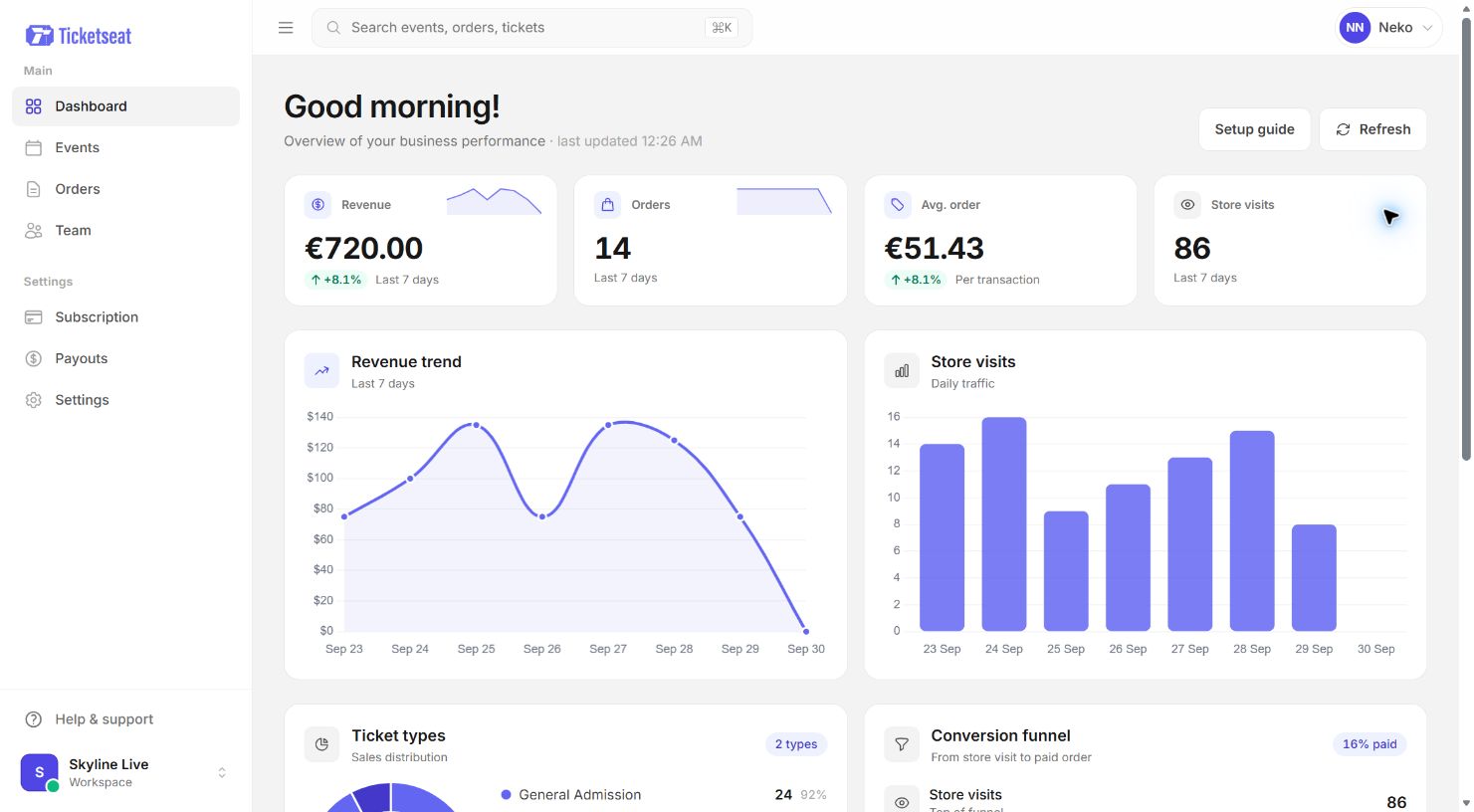
The Ticketseat admin dashboard shows revenue, orders, average order value and event page visits for the last 7 days, with a revenue trend chart. You can see more about the sales dashboard and analytics for organisers. Whatever system you use, the routine below works the same way.
First: revenue and orders against target
- Revenue for the last 7 days. Add it to your running total and compare with break-even.
- Orders for the last 7 days. Then check your ticket count against your weekly goal.
Write your one-line weekly check now, before anything else distracts you.
Second: visits and conversion
- Event page visits. Are more people finding the page than last week?
- Conversion. Divide orders by visits. Has it gone up, down or stayed steady?
These two numbers together tell you whether the problem, if there is one, is reach or persuasion.
Third: average order value and the trend chart
- Average order value. Are people buying singles or groups? Has it changed since you launched a pair deal?
- The revenue trend chart. Look for spikes and dips across the week.
Link spikes to what you did
This step is the most valuable. For each spike on the chart, ask what happened that day:
- a newsletter went out
- a performer shared the event
- you did a poster run
- a local listings site featured you
For each flat stretch, ask what you did not do. Over time you learn which activities actually sell tickets for your audience, and which only feel productive.
What to do when sales are slow, and when they are fast
Once you monitor event ticket sales regularly, problems show up as patterns. Use this table as a quick guide.
| What you see | What it usually means | What to try |
|---|---|---|
| High visits, few orders | People are interested but something stops them | Check price, page clarity, seat availability and checkout steps |
| Low visits | Not enough people know about the event | Email sends, partner promotion, local listings |
| Low average order value | Mostly single buyers | Pair deals or group offers |
| Selling fast | Strong demand | Plan staffing and door setup, consider a waitlist or extra date |
High visits but few orders
People are arriving and leaving. Work through these checks:
- Price: is it clear, and does it match what similar local events charge?
- Page clarity: date, time, venue, running time and age guidance should be visible without scrolling far.
- Seat availability: if only poor seats appear to be left, some buyers walk away. Consider releasing held seats.
- Checkout: buy a ticket yourself on your phone. Note anything confusing or slow.
Low visits
If few people see the page, the fix is reach. Email to past attendees is often the strongest channel because those people already know and trust you. This guide to event email marketing campaigns and timing that fill seats covers what to send and when.
Other options:
- ask performers, speakers or partner organisations to share the event
- add it to local listings sites and community newsletters
- put posters where your audience already goes
Low average order value
If almost everyone buys one ticket, give them a reason to bring someone. Pair deals, a small group offer or a "bring a friend" code can lift orders without cutting the headline price for everyone. For ideas that avoid panic discounting, see these promo code strategies that actually drive ticket sales.
Selling fast
Good news, but plan for it early:
- Staffing: book enough door, bar and front-of-house helpers.
- Door setup: a full house means a bigger queue, so plan check-in lanes and arrival times.
- Demand beyond capacity: start collecting names. This guide to running an event waitlist when your event sells out explains how to turn extra demand into a second date or returns.
Common ticket sales tracking mistakes
Even organisers who use a ticket sales tracker fall into these traps.
Only checking near the end
Looking closely only in the last week leaves almost no room to act. A weekly check from launch day catches a slow quiet middle while you can still fix it.
Counting orders as tickets
Ten orders could be ten tickets or forty. Always check the ticket count against capacity before making decisions about staffing or a second date.
Counting complimentary tickets as revenue
Guest list places, press tickets and performer comps fill seats but bring in no money. Track them separately so your revenue against break-even stays honest.
Changing several things at once
If you cut the price, redesign the page and send an email on the same day, you cannot tell which one worked. Change one thing, wait a few days, then check the numbers.
Keeping numbers in several places
A spreadsheet here, a payout report there, notes on your phone. Numbers drift apart and you end up trusting none of them. Pick one source of truth, ideally your ticketing dashboard, and keep your weekly one-line log alongside it.
How Ticketseat helps
Ticketseat keeps sales tracking in one place. Each paid order sends you an email and a notification in the admin, so you know about every sale as it happens. The admin dashboard shows revenue, orders, average order value and event page visits for the last 7 days, with a revenue trend chart, which covers most of the weekly routine in this guide. Ticketseat is free to start, so you can set up your next event and see your numbers from the first sale.
Start free at ticketseat.io and track your next event's sales from day one.
Frequently asked questions
How do I track ticket sales for my event?
Use your ticketing system's dashboard as your single source of truth rather than bank statements or spreadsheets. Watch revenue, orders, average order value and event page visits, and compare them with a weekly target worked back from your capacity and break-even point. Check at the same time each week and note what promotion you did.
How often should I check ticket sales?
A proper review once a week is enough for most events, ideally on the same day each week. Order alerts cover the day-to-day picture in between. In the final two weeks before the event, check every few days, because that is when late buyers arrive and decisions about staffing and promotion matter most.
What is a good conversion rate for an event page?
There is no single good figure, because it depends on the event, the price and where your visitors come from. The most useful comparison is with your own past events and with earlier weeks of the same campaign. If visits rise but orders stay flat, look at your price, page clarity, seat availability and checkout steps.
Can I get notified every time someone buys a ticket?
Yes, many ticketing platforms send sale alerts. With Ticketseat, each paid order sends the organiser an email and a notification in the admin. A dedicated inbox or email filter keeps these alerts useful once sales pick up.
When do most event tickets sell?
Many events see a burst of sales when tickets first go on sale, a quieter middle period and a rush in the final days. The exact shape varies by event type and audience. Expect the quiet middle and plan promotion for it, rather than treating it as a sign of failure.
Ticketseat Team
Sharing insights about event ticketing, platform updates, and industry best practices.
Related Articles
View all
Event Promo Codes: 7 Discount Strategies That Actually Drive Ticket Sales
Strategically using event promo codes can dramatically increase your ticket sales. Learn seven actionable discount code strategies to boost overall conversion, reward VIPs, and drive urgency without devaluing your brand.
Event Waitlist: What to Do When Your Event Sells Out
A practical playbook for the moment your event sells out: how to run a fair waitlist, when to add capacity, and how to word messages so fans stay on your side.
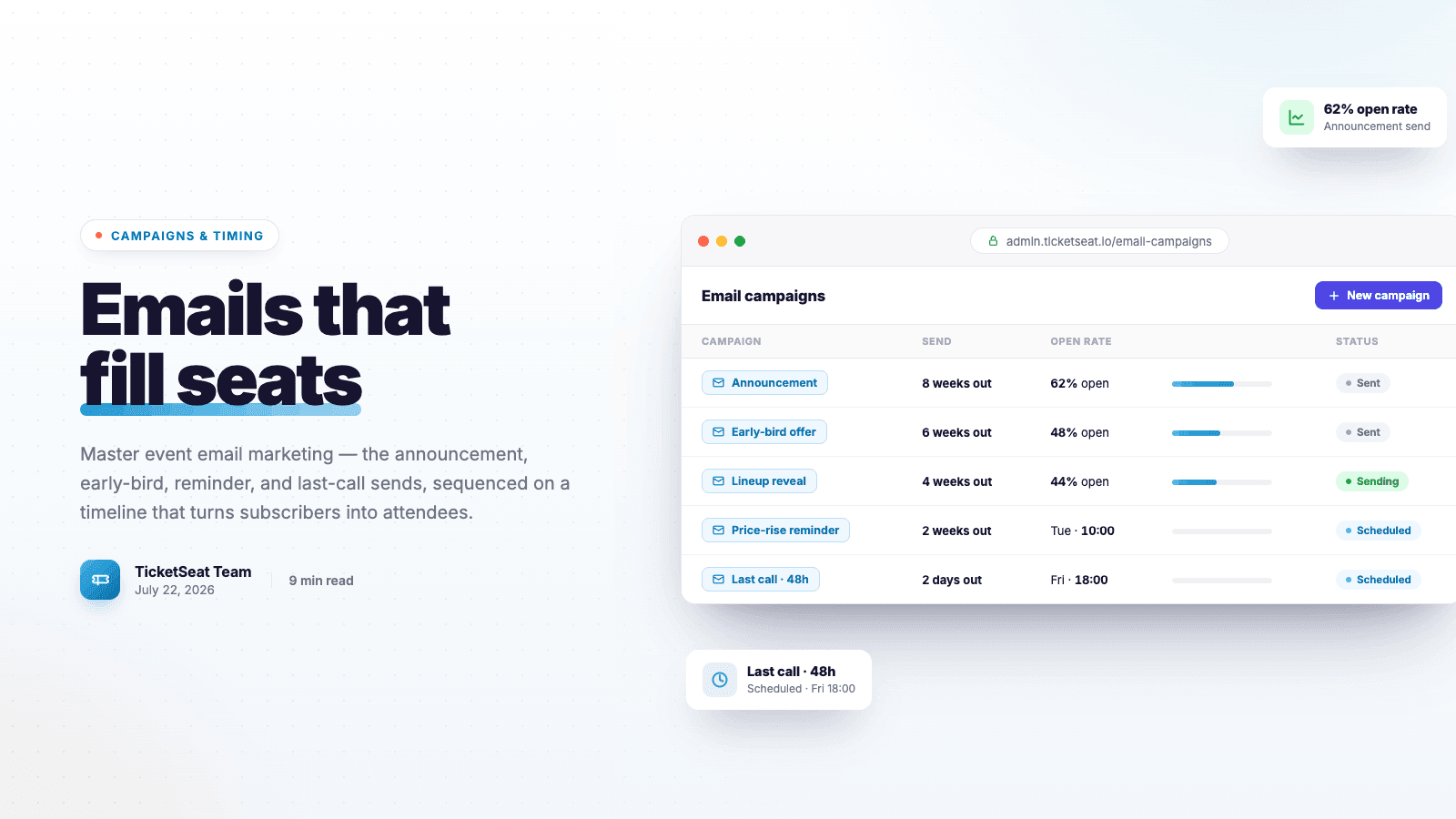
Mastering Event Email Marketing: Campaigns and Timing That Fill Seats
Mastering event email marketing is the single most effective way to put butts in seats. Learn how to sequence your email campaigns, write the perfect announcement email, build an engaged attendee list, and deploy last-call urgency to completely sell out your next event.
Compare Ticketseat
See how Ticketseat stacks up against other ticketing platforms.
Ready to Transform Your Event Ticketing?
Create your event page, sell tickets with seat maps, and scan guests in at the door. Free to start.