
See every sale the moment it happens
Monitor ticket sales, revenue, and check-ins as they happen. Track which ticket types sell best, analyze sales trends by date, and see live statistics for every event from one unified dashboard.
Every number you need, in one place
No spreadsheets, no exports, no waiting. The dashboard reflects what's happening across all of your events the instant it happens.
From a sale to a signal in seconds
Orders flow in
Customers buy from your branded ticket store and pick their exact seats - each purchase lands in your dashboard instantly.
Watch it live
Revenue, tickets sold, and check-ins tick up in real time. Filter to a single event or see everything at a glance.
Act on it
Spot your best-selling ticket types and busiest dates, then adjust pricing, allocations, or promos while it still matters.
Track revenue and payouts without leaving the page
Your balance, next scheduled payout, and full payout history live right alongside your sales - powered by your own Stripe account.
- See total balance and upcoming payout estimates
- Review every payout with status, method, and date
- Export records whenever you need them
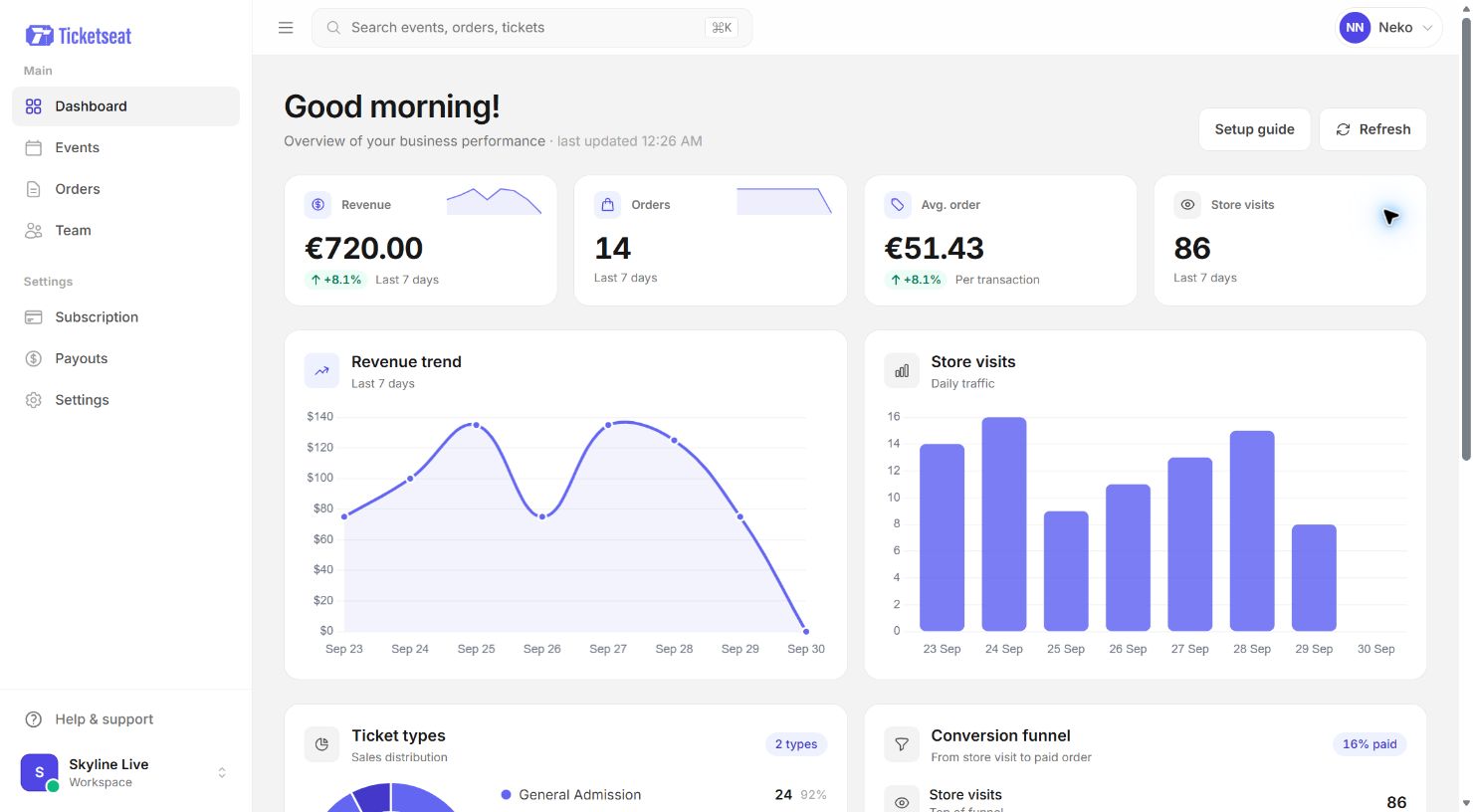
Live statistics for every event, side by side
Run one show or fifty - each event reports its own live numbers, and the dashboard rolls them up so nothing slips through the cracks.
- Compare ticket types to see what sells
- Read sales trends by date at a glance
- Watch live check-ins roll in from the scanner
Analytics, answered
Does the dashboard update in real time?
How does the pricing work?
Can I add team members to view analytics?
More of the platform
Interactive venue designer
Build custom seating charts with drag-and-drop sections, rows, and seats.
ExploreMobile-optimized ticket stores
Branded storefronts with interactive seat maps and Stripe checkout.
ExploreQR code scanner app
Scan tickets instantly and see names, seats, and features on each scan.
ExplorePut your event data to work
Start free with unlimited events and tickets - and watch your first sale land on the dashboard live.