
You can sell tickets online for your first event in an afternoon — no developer, no merchant-services paperwork, no marketplace cut on every order. This complete 2026 guide walks through the whole flow end to end: building an event page, setting your ticket price, taking payments, promoting the show, and scanning attendees at the door. Every step below is something you can actually do today on a modern ticketing platform.
What it takes to sell tickets online in 2026
Selling tickets online comes down to five moving parts: a public event page people can buy from, ticket types with prices, a way to take payments, a channel to promote the listing, and a scanner to check people in. Older tools scatter these across add-ons and upsells. A good online ticketing platform bundles all five so you set up once and sell tickets the same day.
The other thing that changed in 2026: fees. Marketplace platforms still take a percentage service fee plus a per-ticket charge on every paid order, which quietly compounds across a season of events. Flat-rate platforms keep more ticket revenue in your account. Before you pick a tool, run your average ticket price times expected attendance through each platform's pricing — see the pricing breakdown for the full math.
Step 1: Create your event page
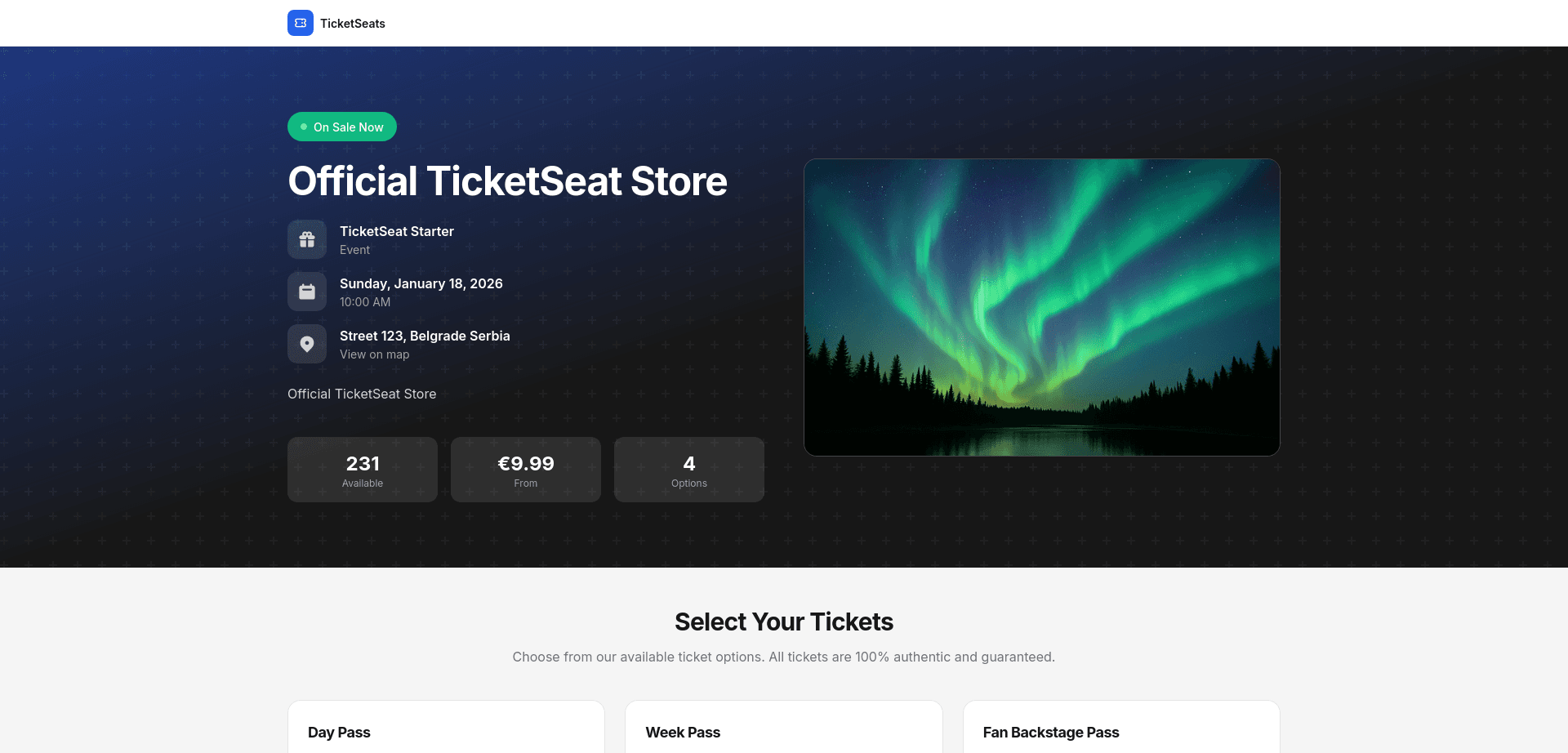
Your event page is the storefront, so it does the selling. Start with the essentials buyers scan for: event name, date and time, venue or location, a clear hero image, and a short description that answers "what am I buying and why." Everything else is secondary to those first few lines.
A modern event page builder is drag-and-drop — you publish a branded, mobile-first page in minutes without touching code. Mobile matters more than it sounds: most ticket sales now happen on a phone, so the page has to load fast and check out cleanly on a small screen or you lose the sale at the worst moment.
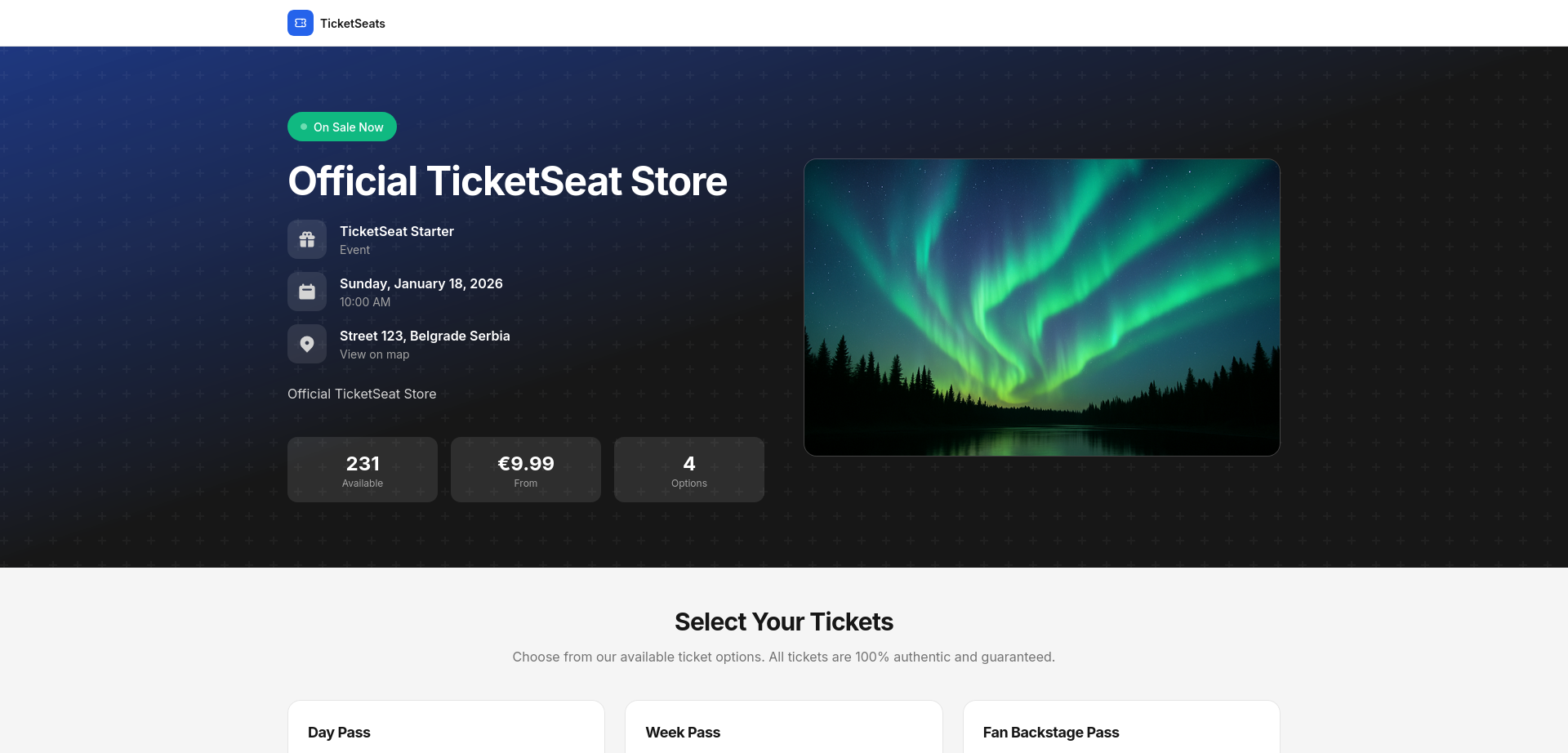
Keep one event per page with one clear call to action. Splitting a festival into separate dated events or merging unrelated shows onto one page both hurt conversion and search visibility — one page, one intent.
Step 2: Set up ticket types and pricing
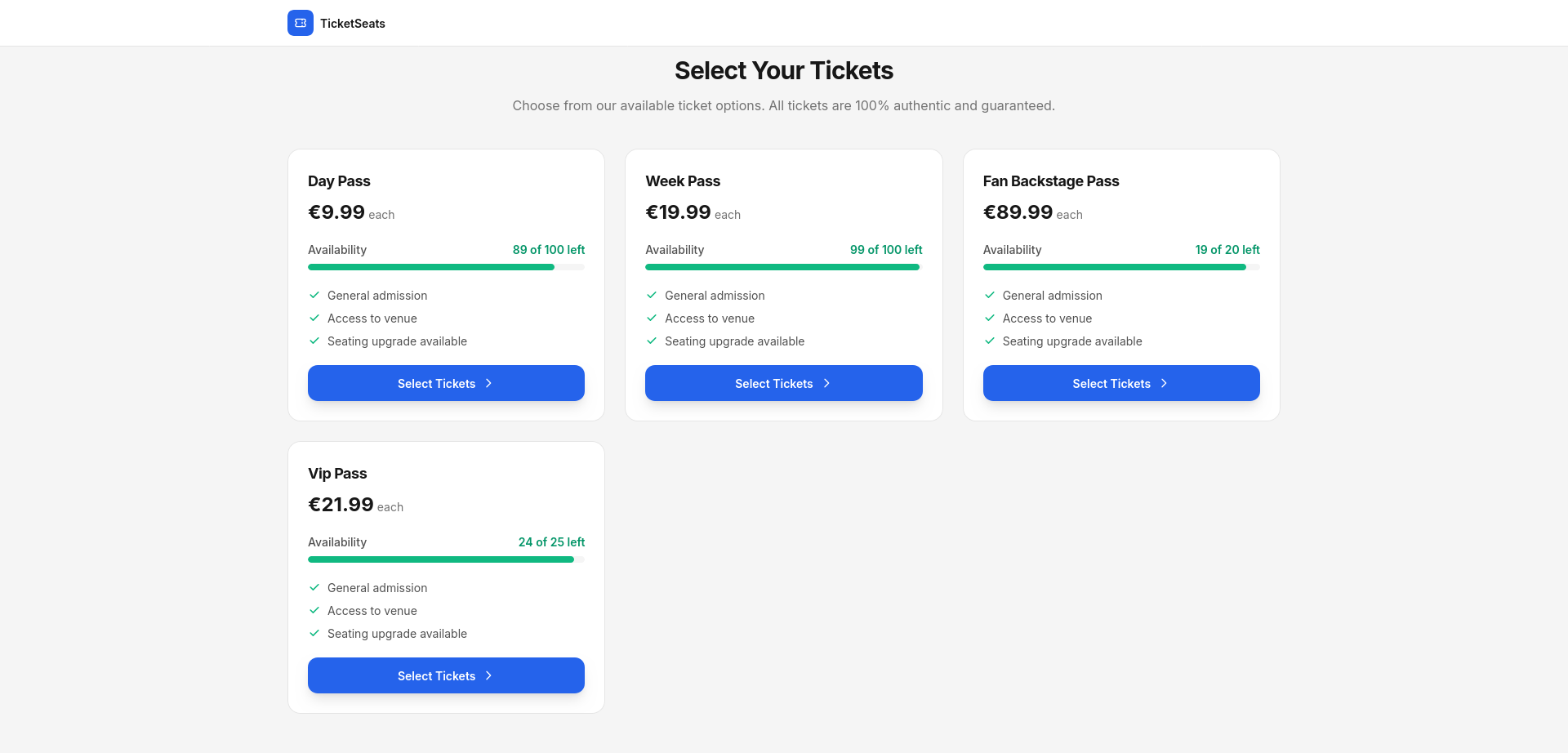
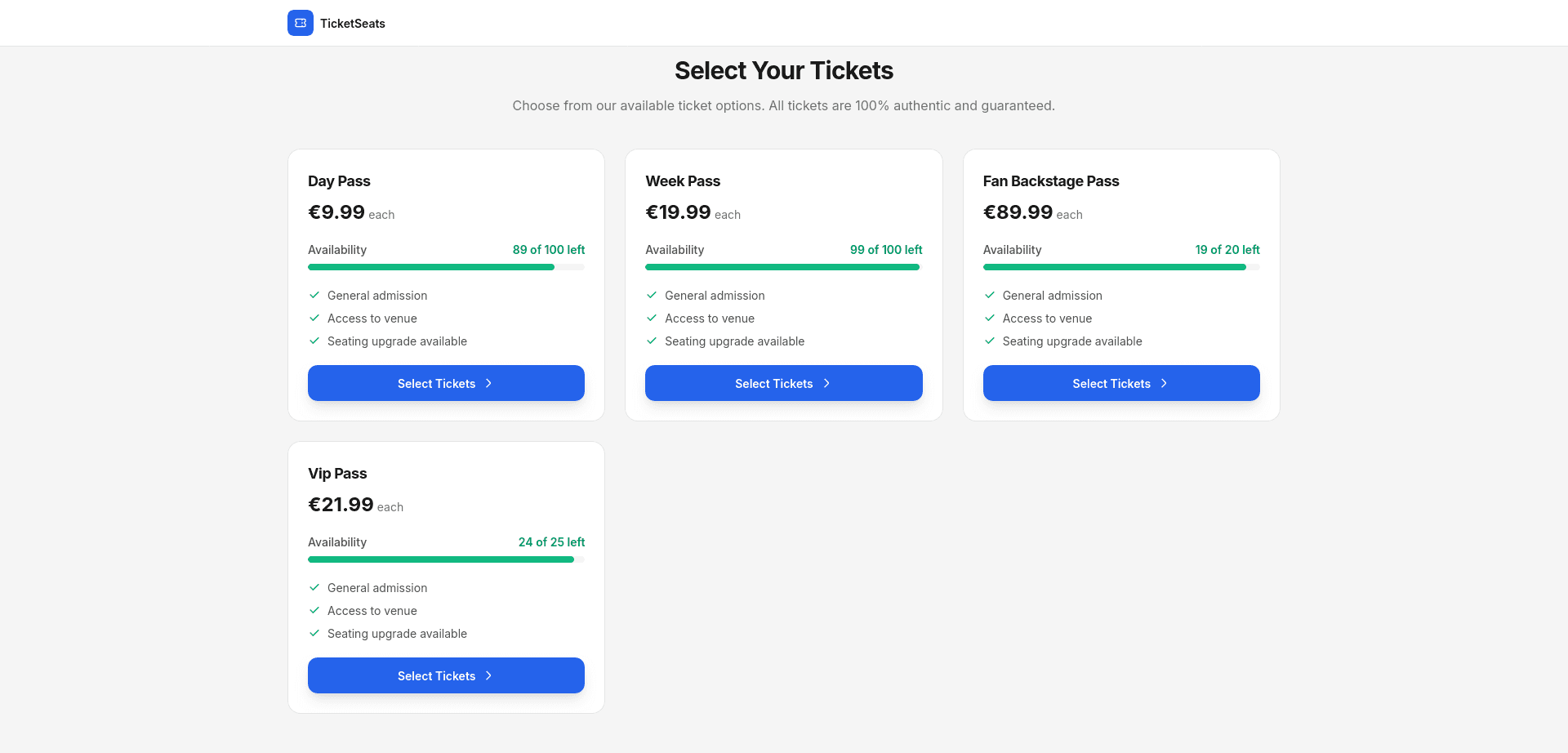
Once the page exists, define your ticket types. Most events need a few tiers: general admission, early-bird, VIP, and sometimes a group or comp tier. Give each a name, a ticket price, a quantity cap, and a sales window. Capping quantity per tier is how early-bird scarcity actually drives urgency instead of just being a label.
If your venue has assigned seats — a theater, a conference hall, an attraction — you'll want reserved seating rather than general admission alone. A built-in seat-map designer lets you draw the floor plan and sell specific seats, so buyers pick exactly where they sit and you never oversell a section. General admission is simpler; reserved seating earns more per show when location is part of what people pay for.
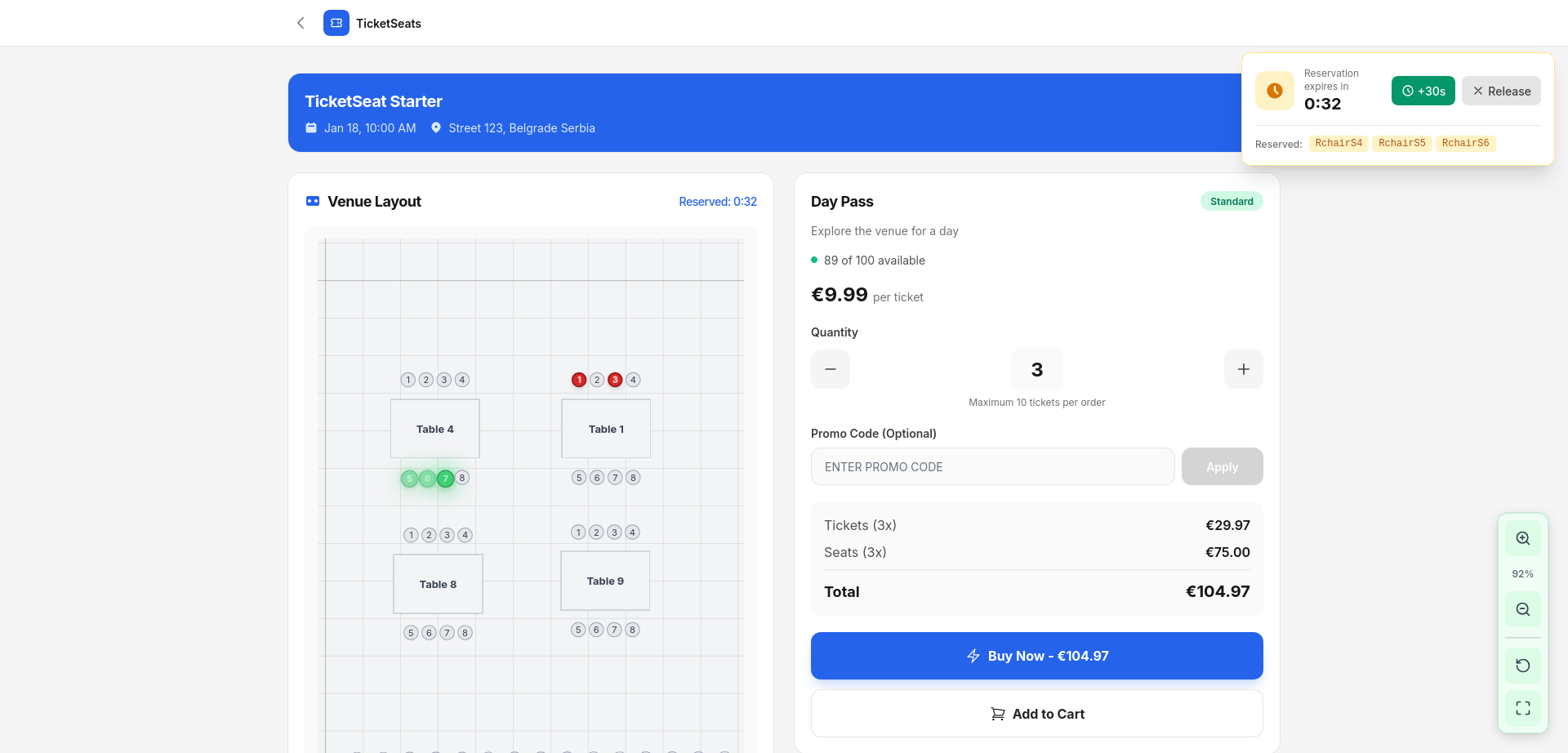
Running a free event? Issue free tickets at zero cost. Community meetups, workshops, and attractions should pay nothing to publish and scan — and on a flat-rate platform, they don't.
Step 3: Connect payments and get paid
To sell tickets online you need to take card payments and have the money land in your account on a schedule you can plan around. Connect your own Stripe account and funds pay out on Stripe's fast, reliable timeline directly to your bank — you control the payout, not a platform holding your cash. Prefer PayPal? Route buyers there too.
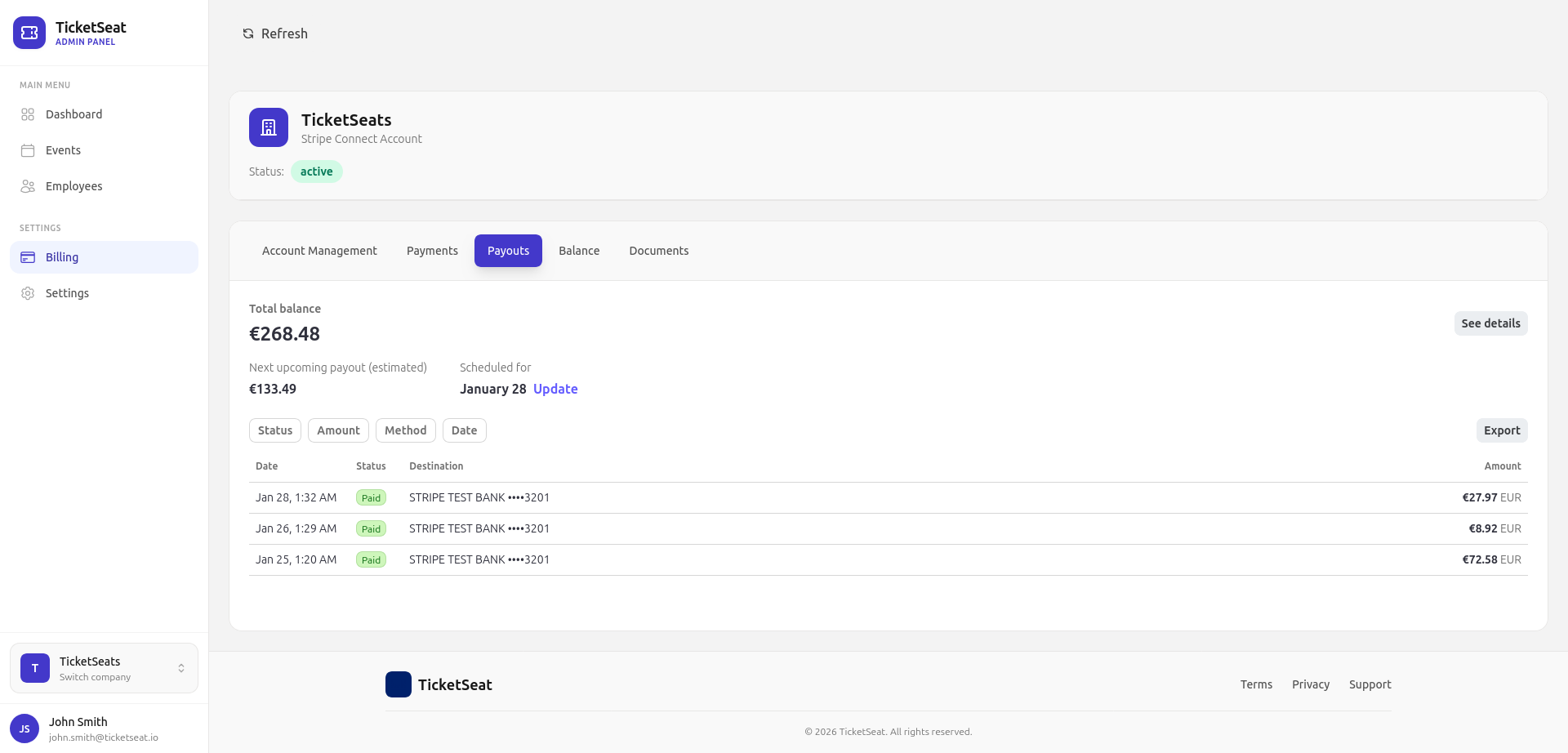
This is where the platform you choose shows up in your bank balance. Marketplaces often hold funds and release them on their own timeline, which strains cash flow right when you're paying venue deposits and vendors. Direct-to-Stripe payouts plus flat fees mean more retained ticket revenue and faster access to it. The difference across a full year of events is frequently the single deciding factor — see how the numbers compare in the TicketSeat vs Eventbrite breakdown.
Step 4: Promote the event and drive sales
A live event page doesn't sell tickets on its own — you have to point an audience at it. The highest-converting traffic is your own: email your list, post the direct link, and lean on built-in marketing tools like promo codes and shareable links that drive buyers straight to checkout. Owned channels keep the customer relationship yours instead of renting visibility on a marketplace beside your competitors.
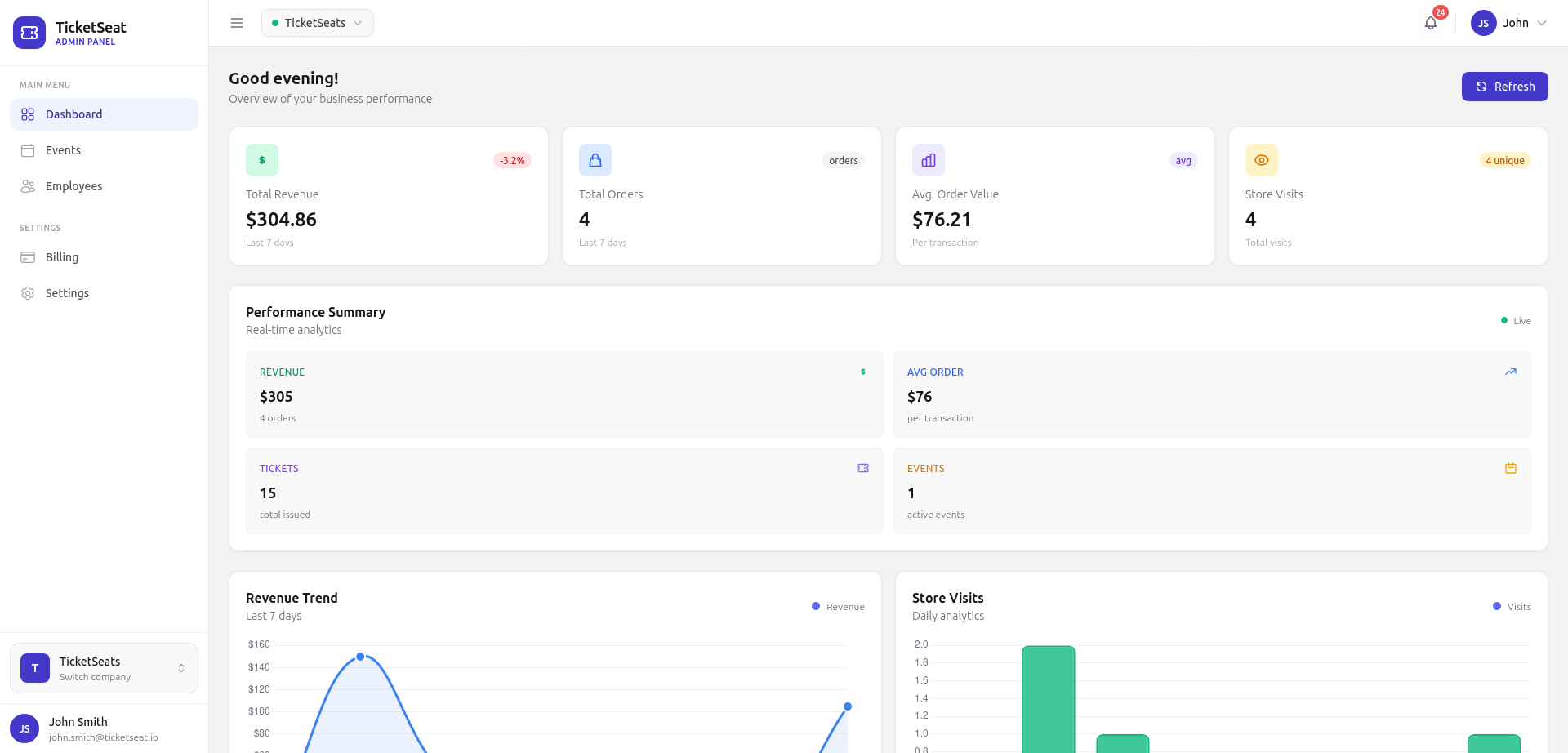
Track what's working as sales come in. Real-time analytics show which channels, promo codes, and ticket types convert, so you can put budget behind the link that's actually moving tickets rather than guessing. A promo code tied to one Instagram post tells you exactly what that channel is worth.
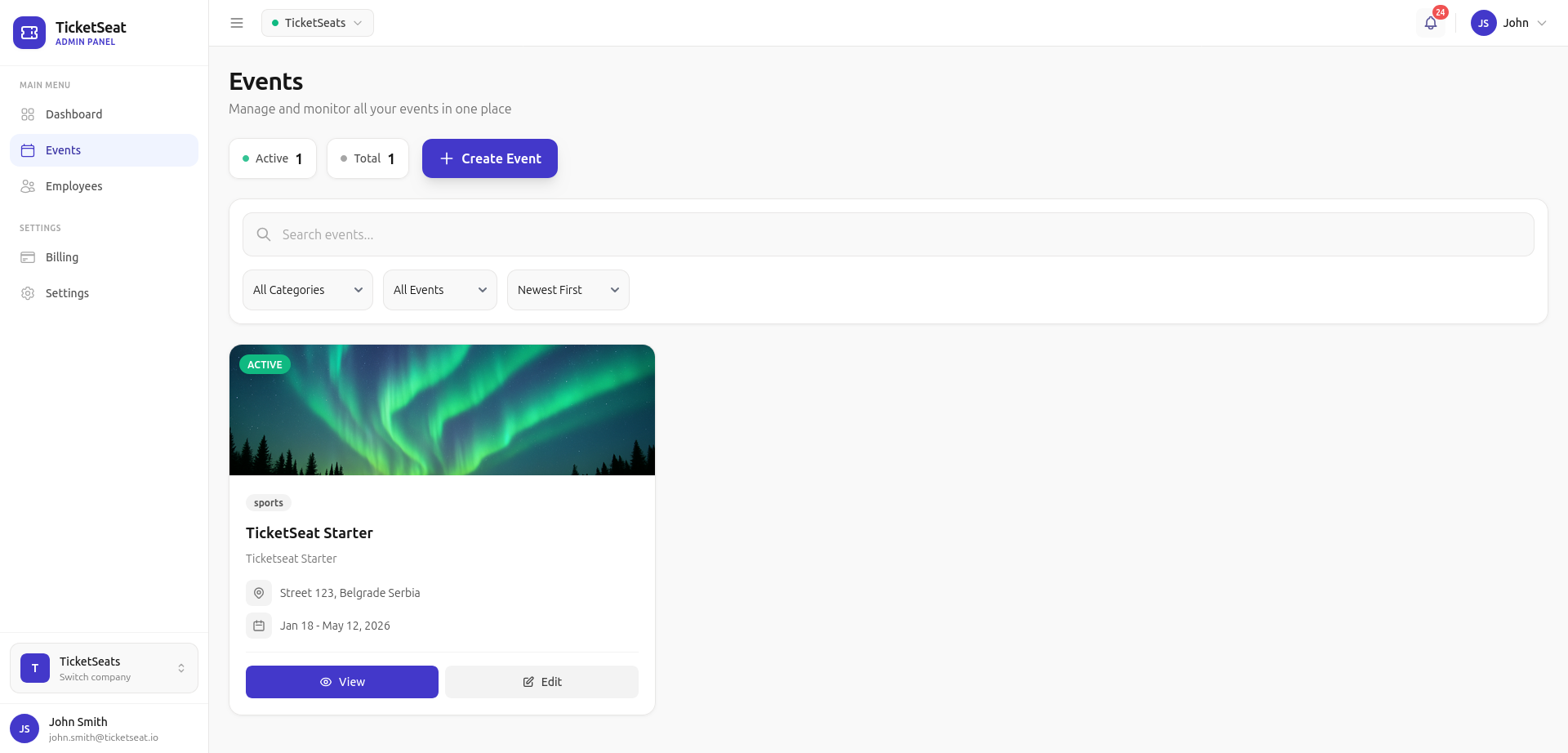
Discovery marketplaces can introduce your event to strangers, but they also train buyers to shop around and compare. Owned marketing does the opposite: the audience you build for one show becomes the launch pad for the next. Over time that list is worth far more than any one-off placement.
Step 5: Scan tickets and check in attendees
On event day, every ticket carries a unique QR code. A dedicated mobile scanner app validates each one at the door in real time — it shows the attendee's name, ticket type, and seat number on every scan, and flags duplicates or invalid codes instantly. No printed guest lists, no manual lookups, no line backing up at the entrance.
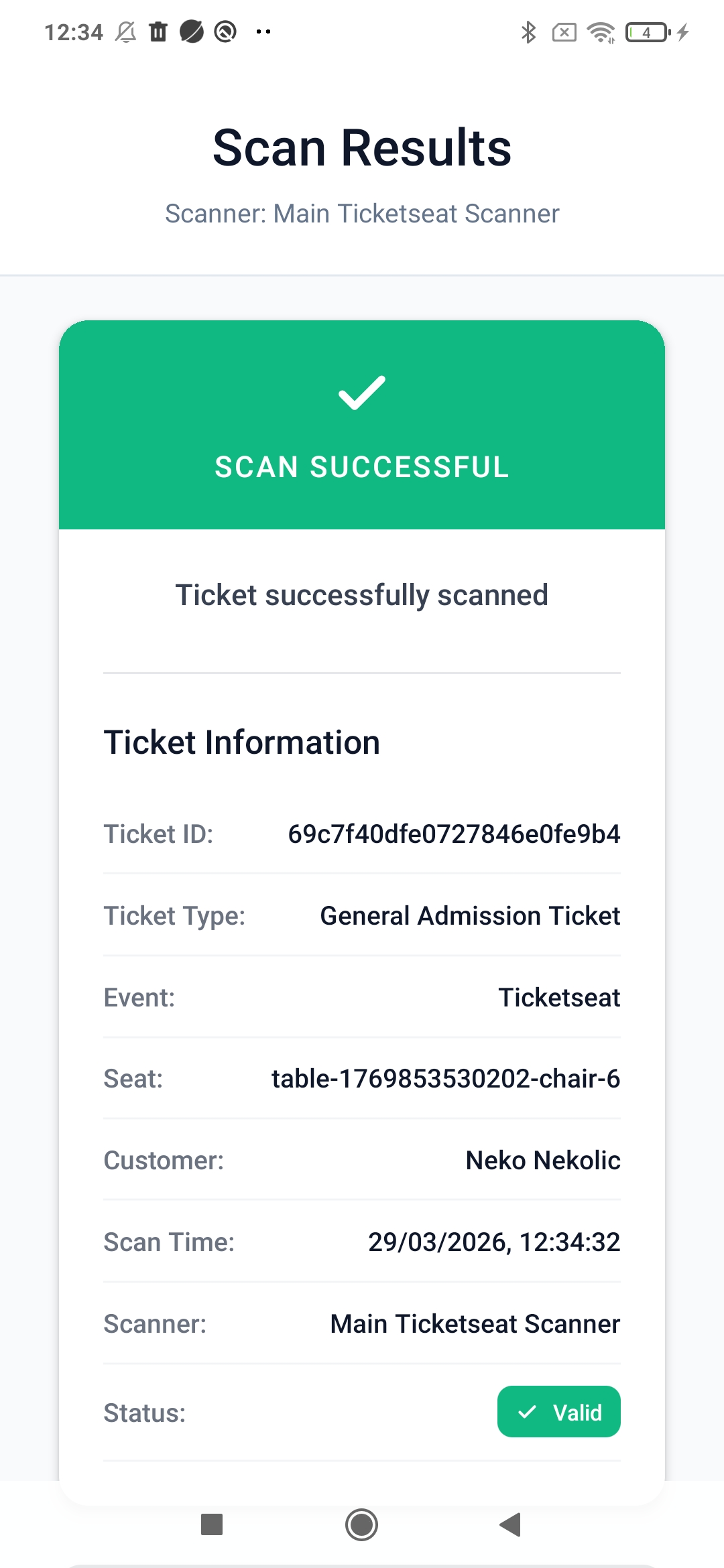
Add multiple scanners for a busy gate so several staff check in attendees at once without double-admitting anyone — scans sync across devices. That's the whole loop: you've gone from an empty page to a checked-in crowd on one platform.
How much does it cost to sell tickets online?
The headline "free to start" you see on marketplaces rarely reflects what you pay once orders roll in. Percentage service fees plus per-ticket charges plus payment processing stack up fast on high-volume sales, and the bill grows in lock-step with your success — the more tickets you sell, the more you hand over.
Flat-rate online ticketing flips that. You connect your own payment account, set your ticket price, and keep more of every sale whether it's your first event or your fiftieth. No setup fees, no monthly fees, no contracts locking you in. Compare the options on the pricing page and against other ticketing platforms before you commit.
Choosing an online ticketing platform
The right platform to sell tickets online depends on what your events actually need:
- Assigned seating (theaters, conferences, attractions) — pick a tool with a real seat-map designer, not just general admission.
- High volume or frequent shows — flat fees beat percentage cuts; the gap compounds across a season.
- Fast cash flow — direct Stripe or PayPal payouts beat platforms that hold your funds.
- Owned audience — built-in email, promo codes, and analytics beat renting marketplace visibility.
Compare head-to-head before deciding: TicketSeat vs Eventbrite, vs TicketSpice, vs TicketLeap, and vs SimpleTix.
Frequently asked questions
How do I start selling tickets online?
Create an event page, add your ticket types and price, connect a Stripe or PayPal account to take payments, then share the link. On TicketSeat you can do all of it in an afternoon with no code.
What's the cheapest way to sell event tickets online?
A flat-rate ticketing platform with no setup fees, no monthly fees, and no per-order percentage cut keeps the most ticket revenue in your account — especially as volume grows. Run your own numbers on the pricing page.
Can I sell tickets online for free events?
Yes. Free tickets for free events cost nothing to issue, send, or scan on a flat-rate platform — meetups, workshops, and attractions pay zero.
How do attendees receive their tickets?
Buyers get a ticket with a unique QR code by email immediately after checkout. You validate each code at the door with the mobile scanner app.
How fast do I get paid?
With direct Stripe payouts — and optionally PayPal — funds arrive on your schedule, not a platform's holding timeline.
Start selling tickets today
You now have the full loop: build the event page, set ticket prices, connect payments, promote the show, and scan attendees in. Launch your first event on TicketSeat, keep more of your sales, and give buyers a checkout that actually converts on mobile — the modern way to sell tickets online in 2026.
Ticketseat Team
Sharing insights about event ticketing, platform updates, and industry best practices.
Related Articles
View all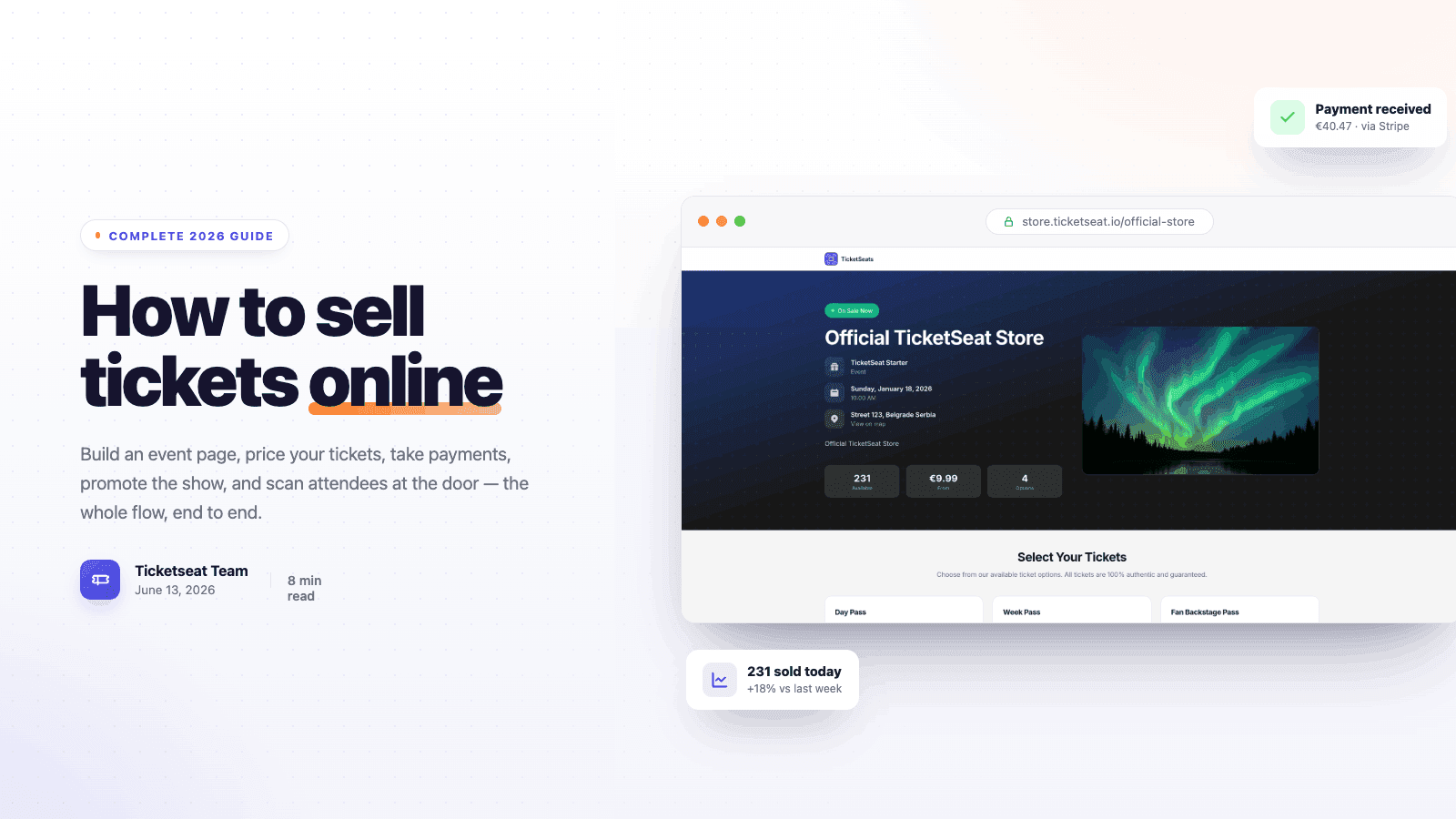
How to Sell Tickets Online: Complete 2026 Guide
A step-by-step 2026 guide to selling tickets online — build an event page, price your tickets, take payments, promote the show, and scan attendees at the door.

WELCOME
Putting on an event is hard. Selling the tickets should not be. Meet TicketSeat, a simple all-in-one platform that handles the boring parts, so you can focus on the show.
TicketSeat vs Eventbrite: Fees Compared (2026)
A clear TicketSeat vs Eventbrite comparison of pricing, fees, payouts and features so event organizers keep more of their ticket revenue.
Compare Ticketseat
See how Ticketseat stacks up against other ticketing platforms.
Ready to Transform Your Event Ticketing?
Join thousands of event organizers who trust Ticketseat for their ticketing needs.